


Huxera OTClient (Recommended)

|
The Huxera OTClient is the main client of the server. It features
new outfits, mounts, items and much more.
It includes a built-in bot for added convenience and a full minimap. Features
|
| Download link | huxera-otclient |
|
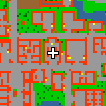
Here you can download the Huxera Minimap
for OTClient. The minimap is already included with the client by default, but you
can download it again from here if needed.
It can be manually installed in %appdata%/Huxera/HuxeraOT |
Huxera Mobile — Android Public Test
|
|
Play Huxera on your Android phone or tablet with touch controls,
adjustable interface zoom and the built-in HuxeraBot.
Public test: help us try the mobile client on more devices. Please report issues on Discord with your device model, Android version and what happened. Requirements
How to install
Testing notes: the first login can take longer while game assets load. Devices with less memory may experience longer loads or crashes. Updates: mobile auto-update is not available yet. For major releases, download the new APK here and install it over the existing app to keep your settings. If you previously installed an internal test APK, you may need to uninstall it first; that removes its local settings. |
| Download APK | Huxera Android 0.1.0-beta1 Public test · 204 MiB |
Tibia Client (Injected)
|
The classic Tibia client. It also features new outfits, mounts and items.
This client updates automatically. It is compatible with ElfBot and MageBot. We always recommend running both programs (client and bot) as administrator. |
| Download link | huxera-tibia-client |
|
The Magebot is only compatible with the classic tibia client.
It can be download here. Make sure to run the bot before logging in to your character. |

|
The Elfbot is only compatible with the classic tibia client.
It can be download here. |
|
In order to use your own Elfbot version and resolve compability issues, you must download this dll file. After the downloading, copy and paste it into your Elfbot folder. |


